Binize Android CarPlay Wireless Dash CAM 1080P HD 4+64——Tbox AR


Binize Android CarPlay Wireless Dash CAM 1080P HD 4+64——Tbox AR
Please note that Binize wireless CarPlay dash cam is only suitable for the Factory system car radio with wired CarPlay & Android AUTO, contact customer service for external needs before purchasing.
| Brand | Binize |
| Type | CarPlay Wireless Dash CAM |
| Wireless CarPlay | Yes |
| Wireless Android Auto |
Yes |
| Bluetooth |
Yes |
| Size | 5 Inch*2 Inch*2.6 Inch |
| Power Input / Output |
5V——1A |
| WiFi Receiver | 2.4 GHz+5 GHz |
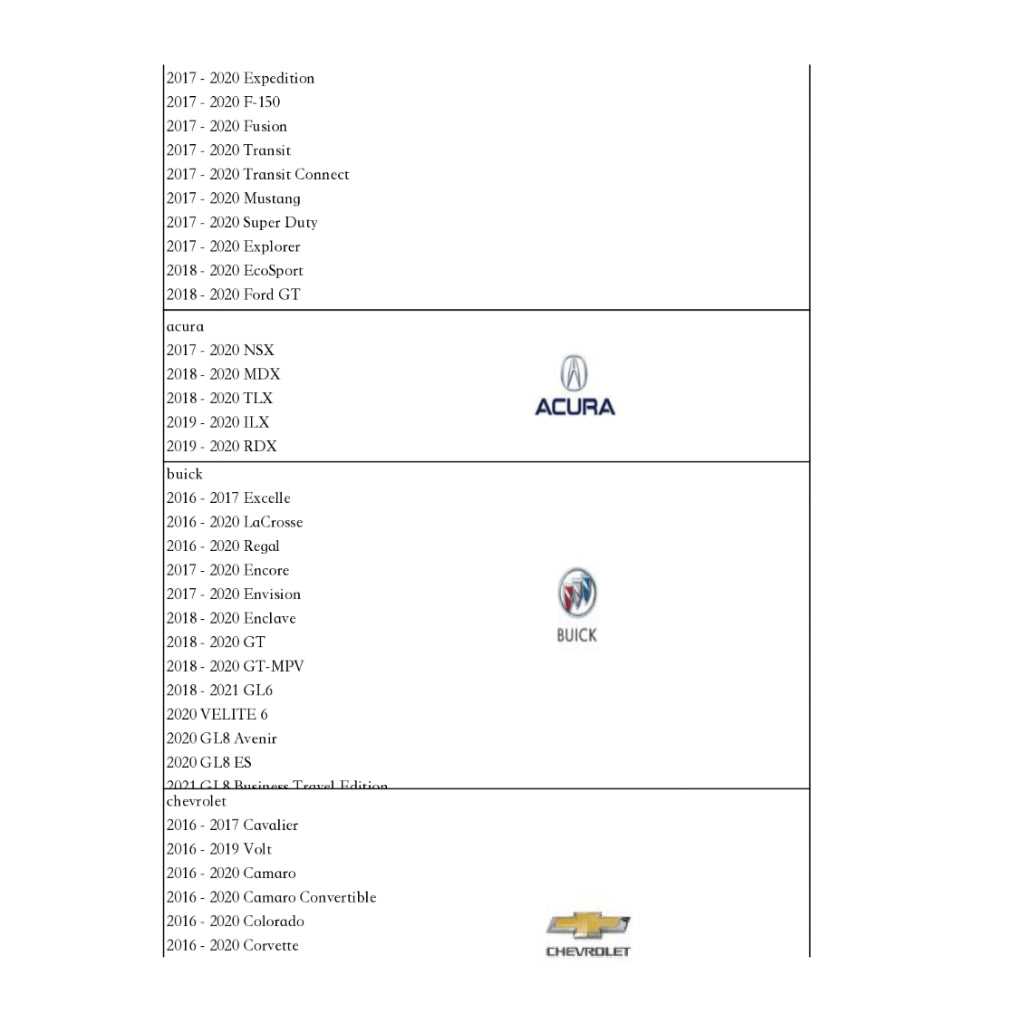
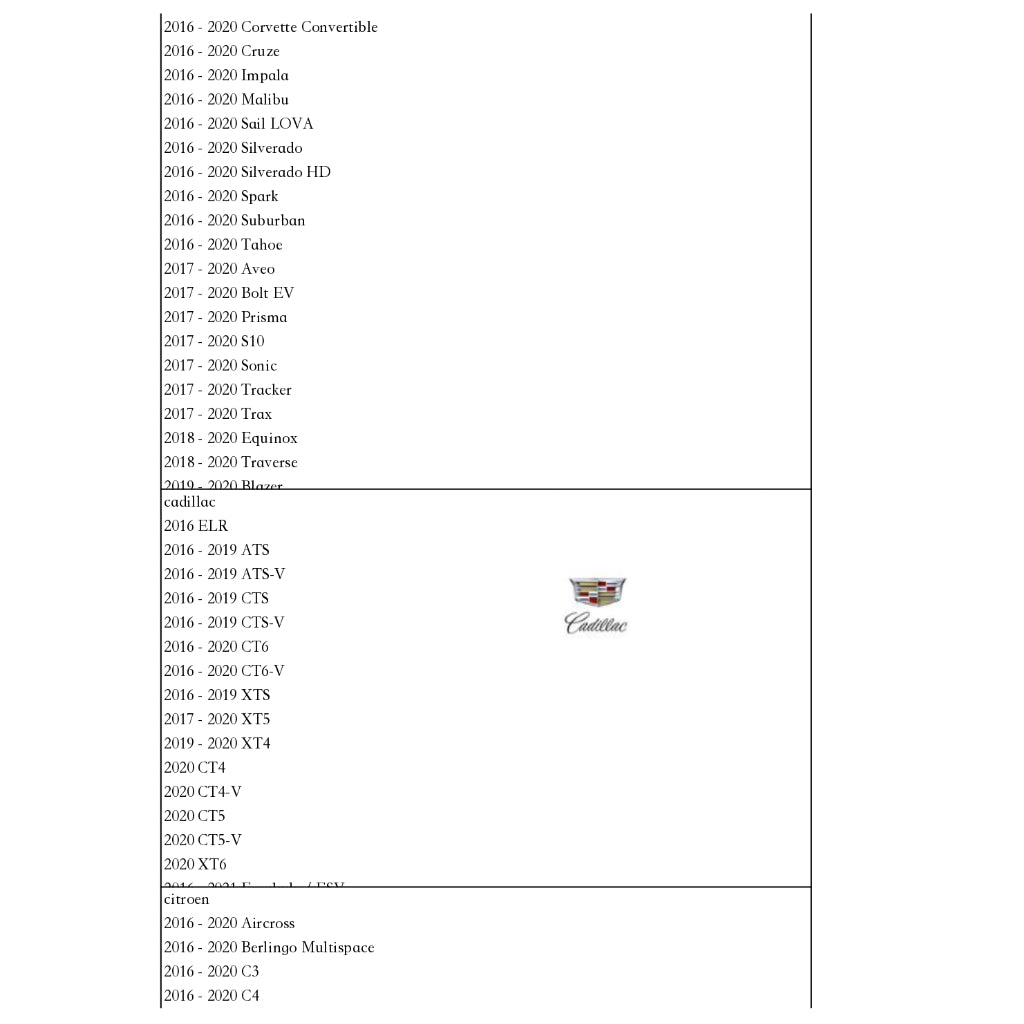
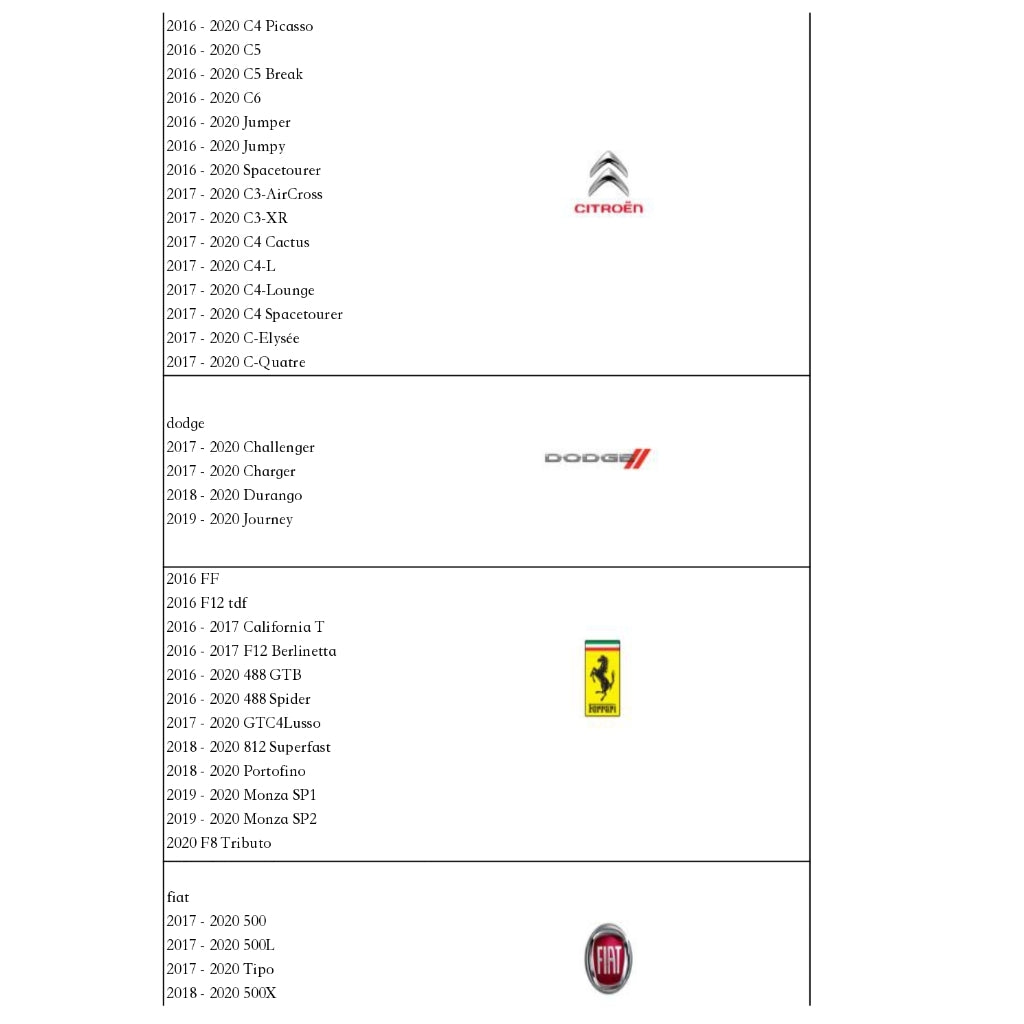
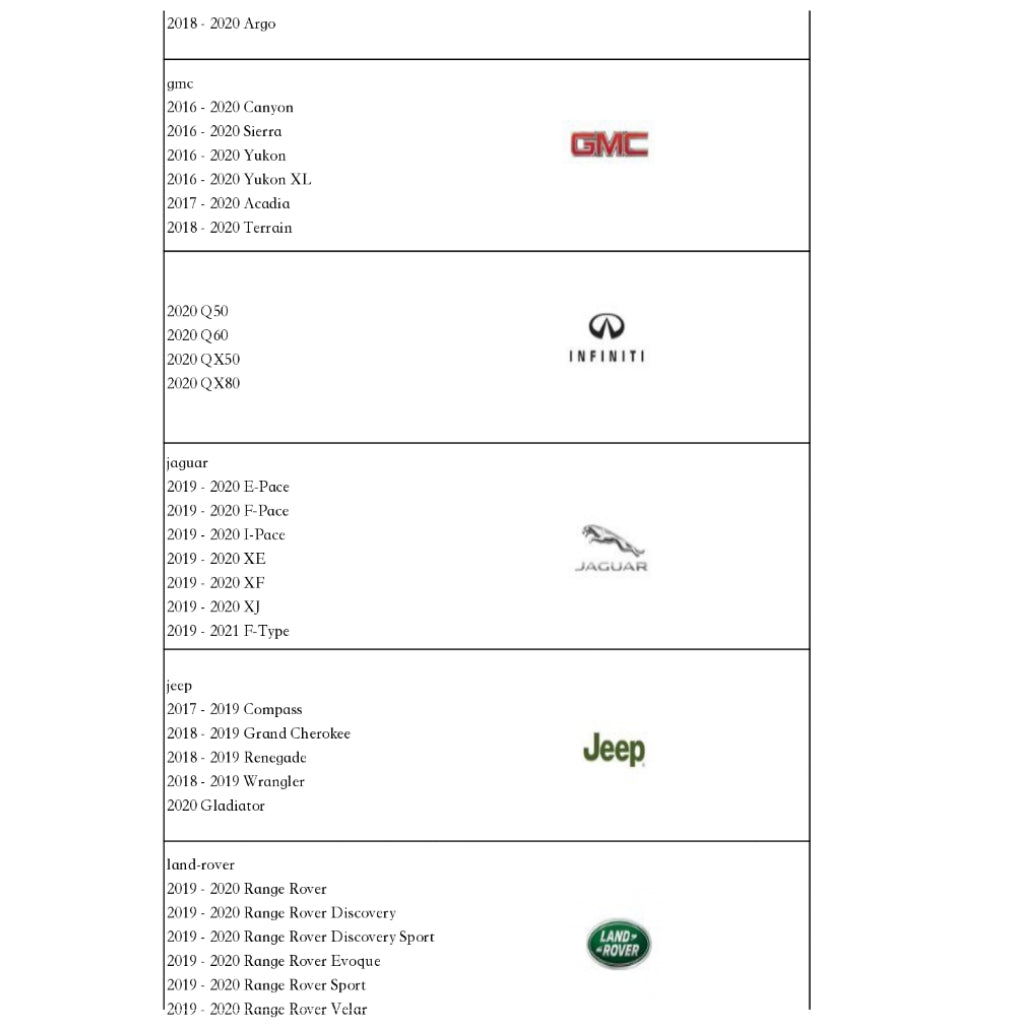
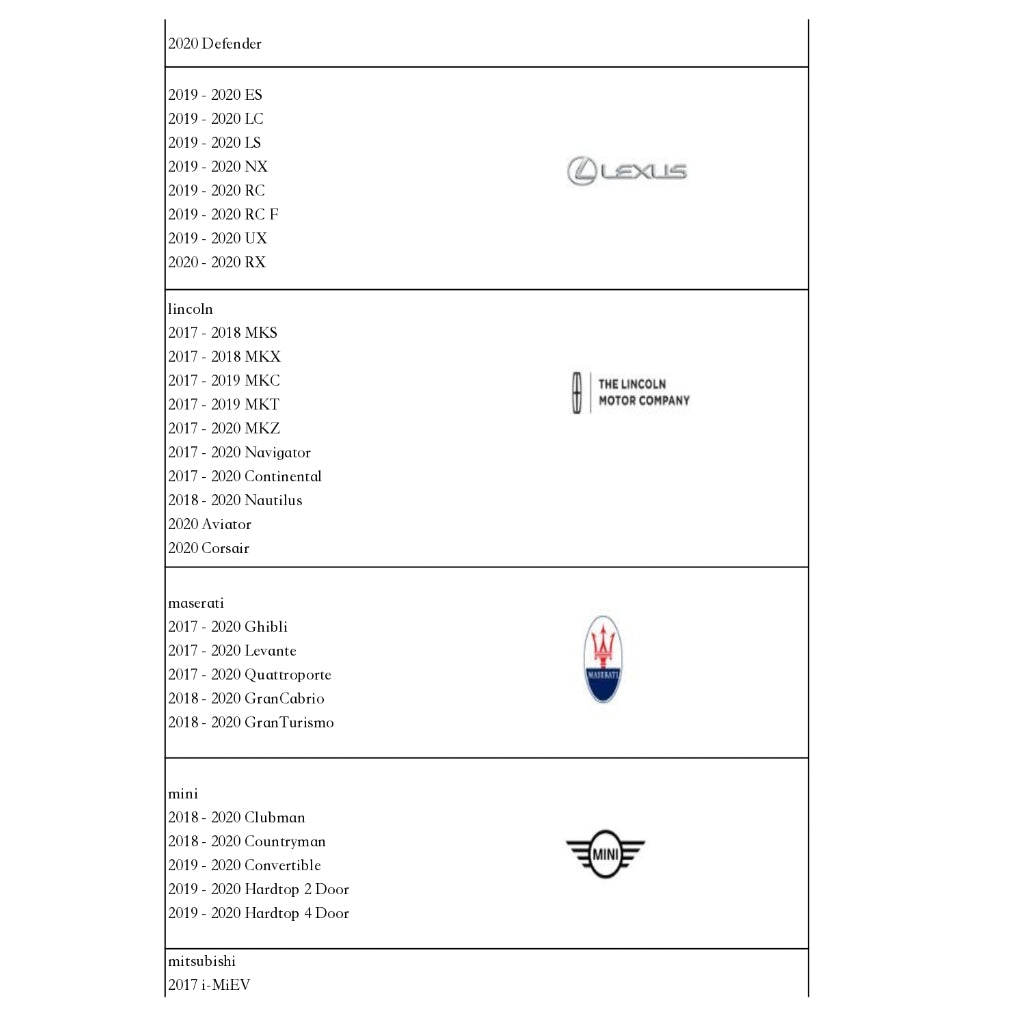
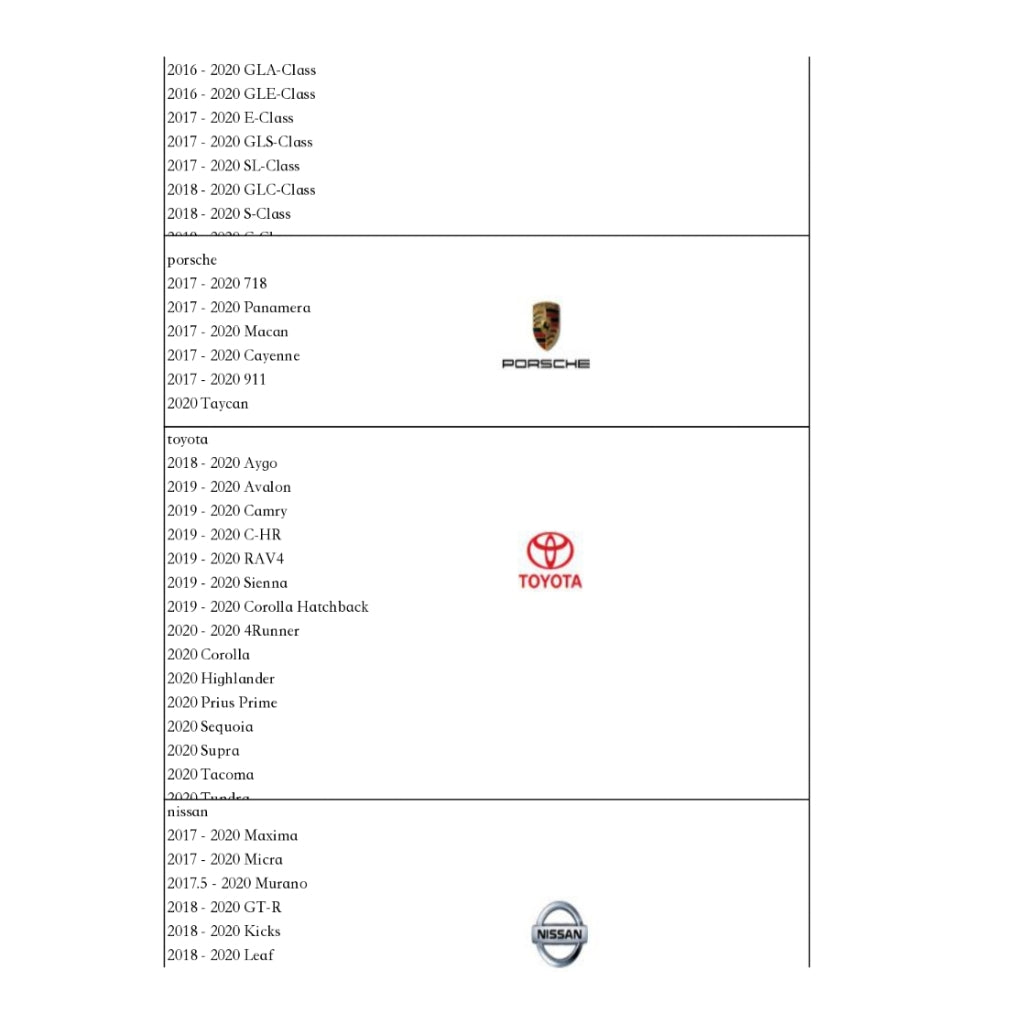
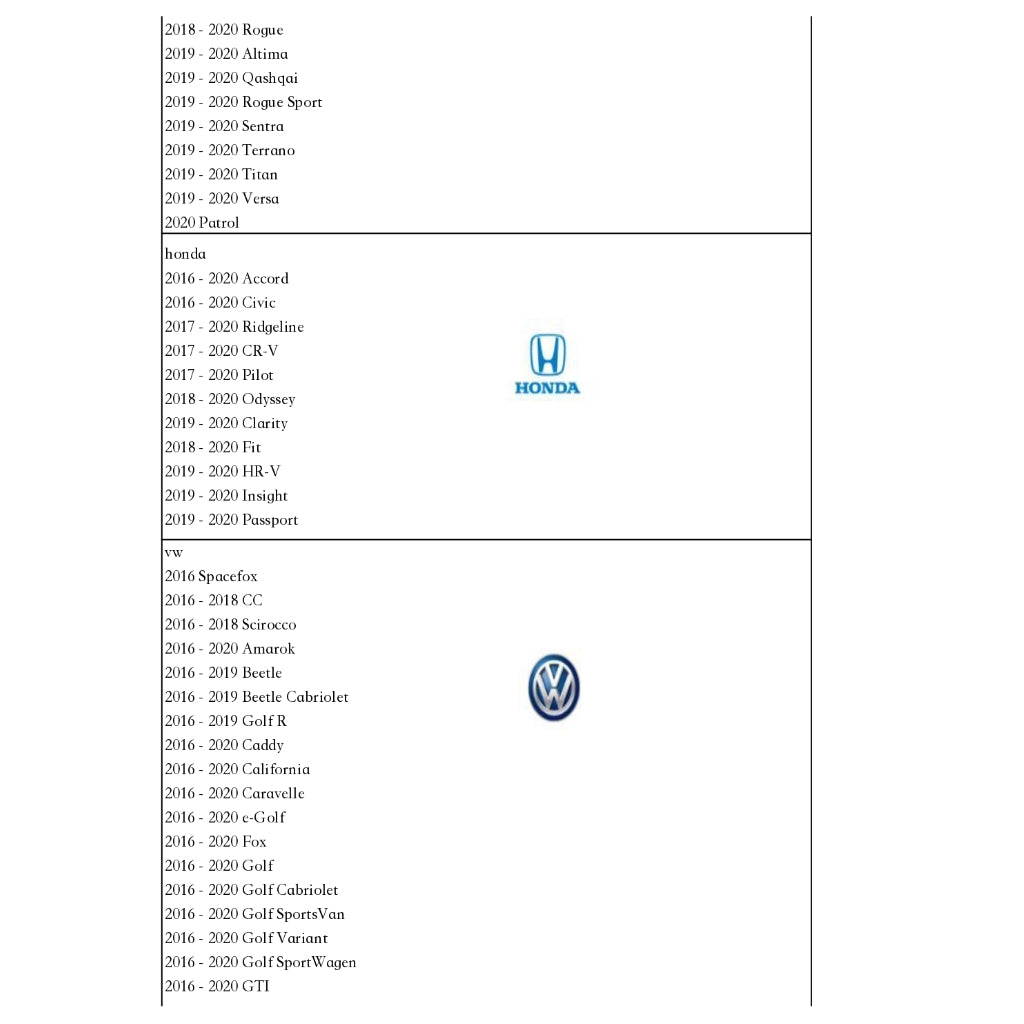
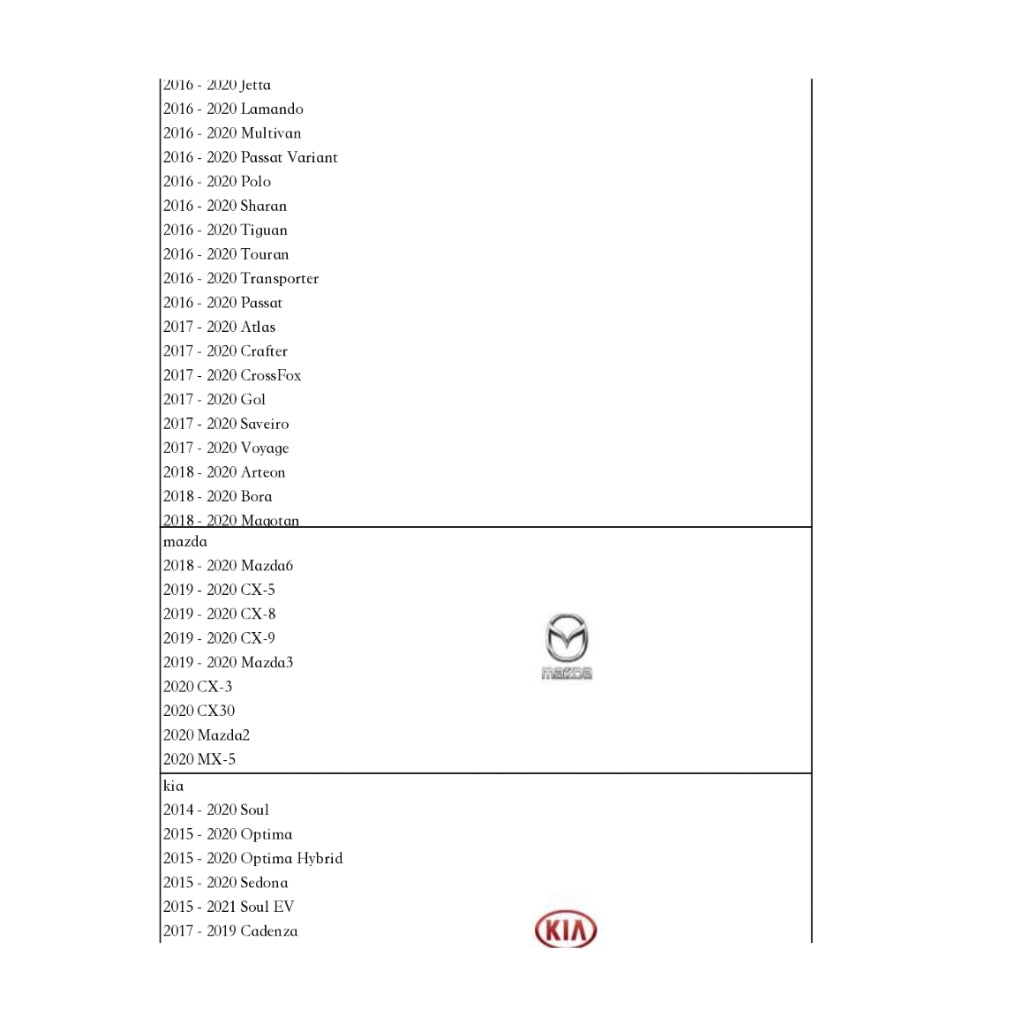
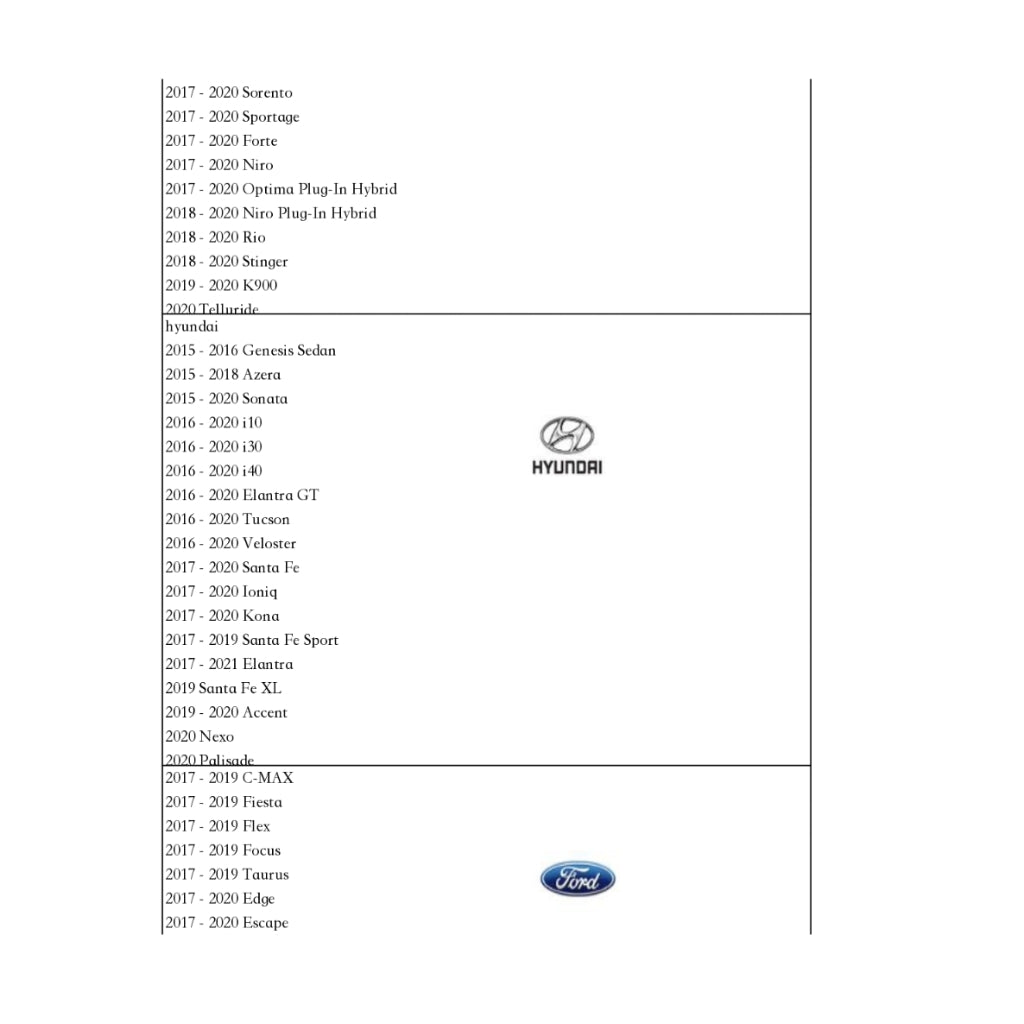
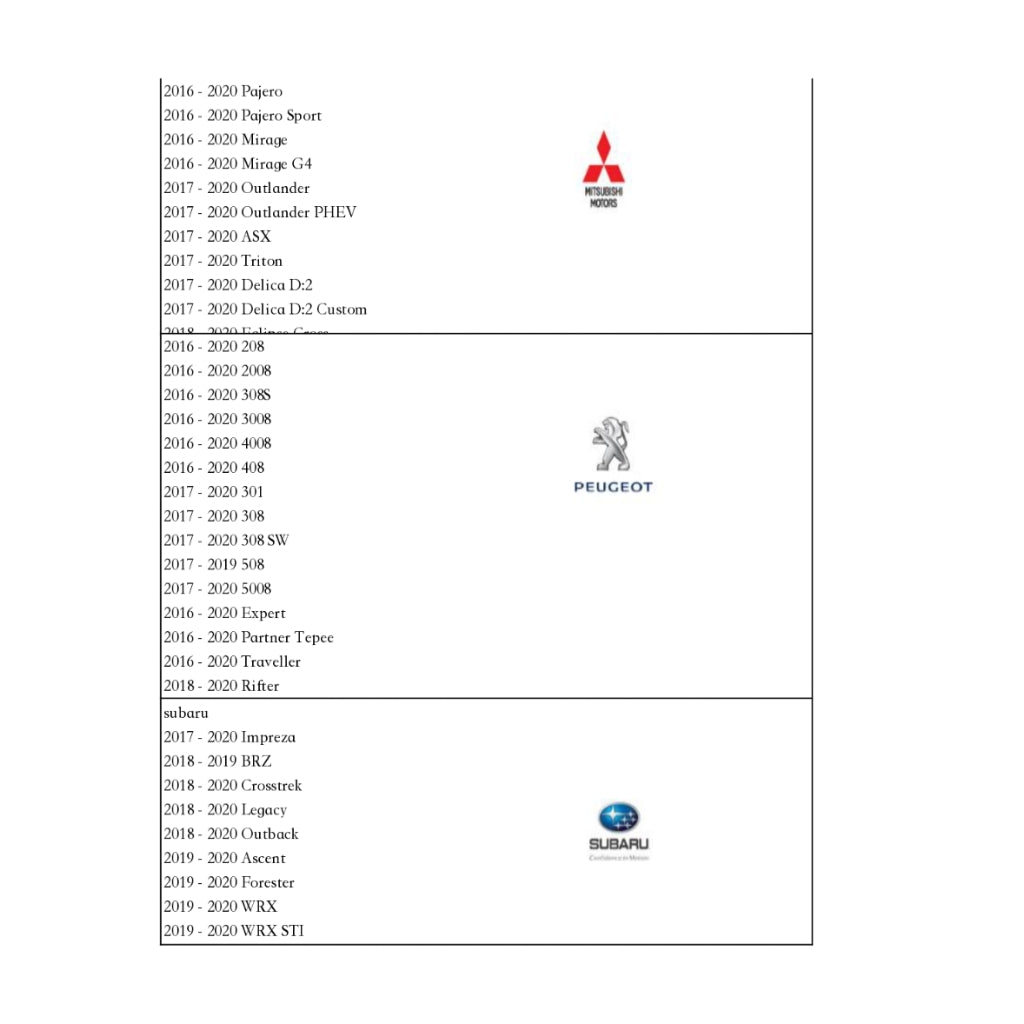
| Car support | Factory system car radio with OEM wired CarPlay & Android Auto |
| Phone support |
IOS 10+,iPhone 5 and new models Android 9.0+, except Samsung |
🚦【New CarPlay Wireless Dash CAM 】:

🚦【Available Full Android System】:
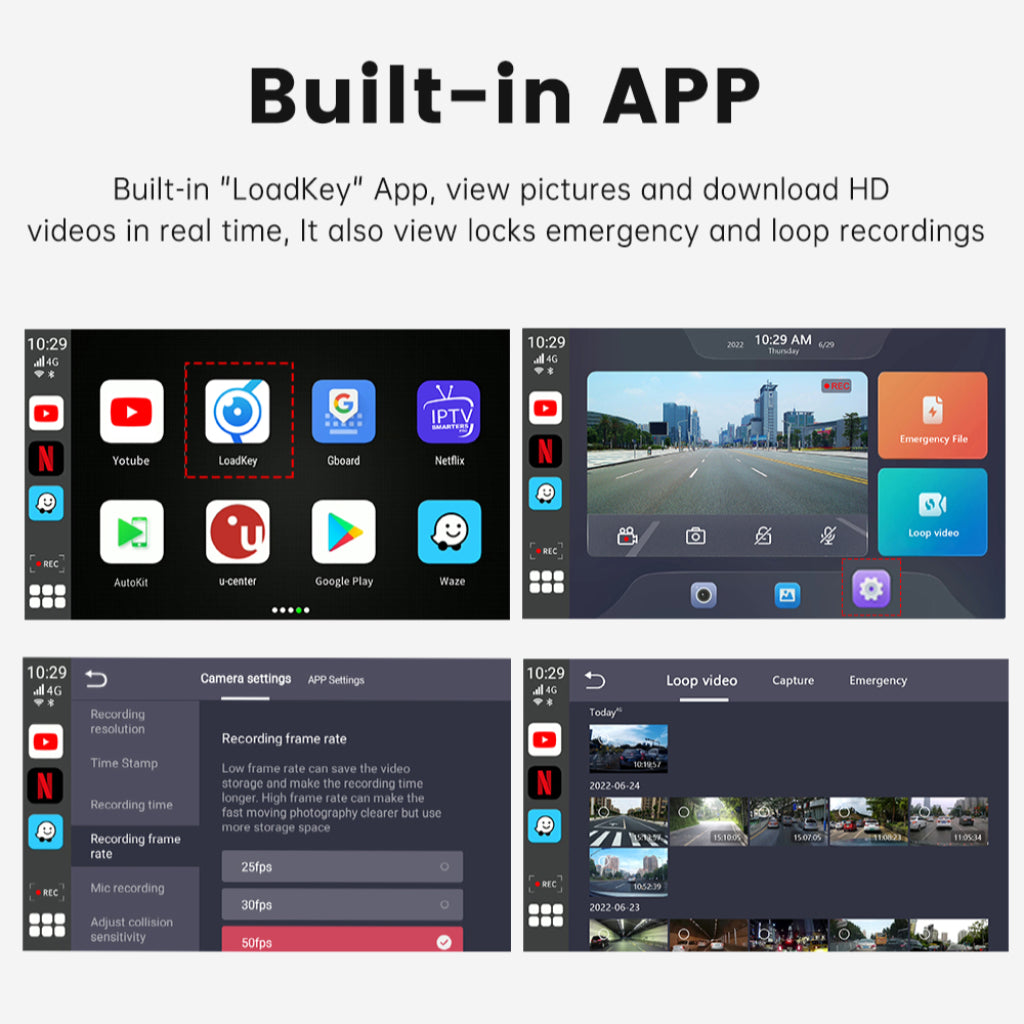
🚦【FHD CarPlay Wireless Dash CAM Record】
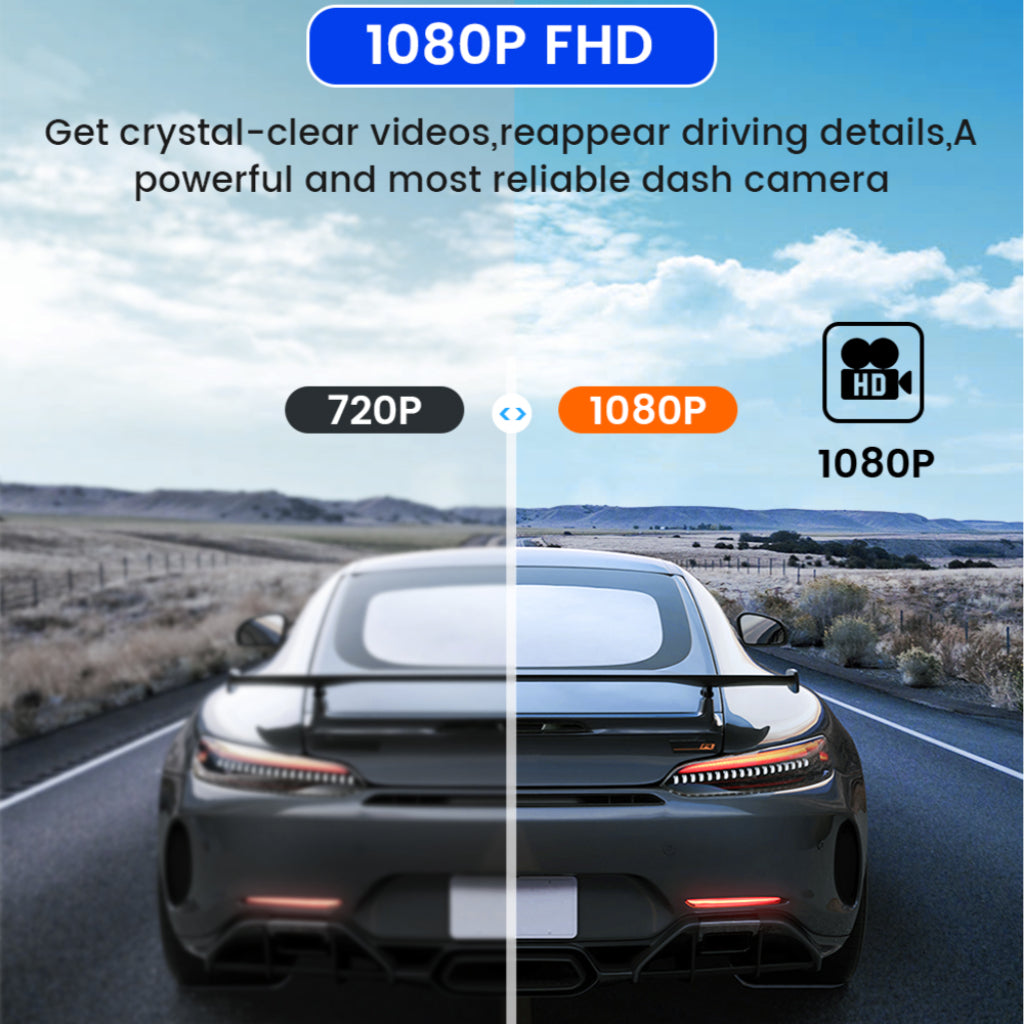
🚦【Massive Android APPS】:

Binize CarPlay Wireless Dash CAM connection steps
- Plug Binize CarPlay Wireless Dash CAM via the connection wire included
- Pair for smartphone's WIFI and Bluetooth
- Approve the permission for Using CarPlay
- If you are using Android Auto for the first time, then will need to download the Autolink app on your phone as prompted. Secondly, the prerequisite for using a wireless connection is that your phone does support wireless Android Auto

NOTE:
The performance of this CarPlay Wireless Dash CAM depends on the characteristics of your original car stereo and can only suit OEM wired CarPlay and Android AUTO.
Q&A
Q: Will it work with the 2022 Mitsubishi Outlander?
A: As your car only has wired OEM Carplay, then Binize CarPlay Wireless Dash CAM will suit your car well.
Q: Do I need to plug the adapter in every time?
A: No need at all, after it's set up correctly for the first time, easy peasy to get wireless CarPlay and Android AUTO. If yours cannot connect automatically, plz check the setting like this: click the auto kit app, then click upper left corner - Settings - Wireless automatic connection open (WIFI Bluetooth do not occupy)
Q: Does anybody know how I can keep the sim card in without coming out if it doesn't stay in the slot?
A: Try to push it further with your nail or with some sharp tool.
Q: Does it support the 2019 Lincoln mxz?
A: As long as it already has OEM wired CarPlay/android auto, then yes. Just plug it into your USB port for CarPlay and voila you should see it on your screen after it powers up.
Support model list reference