
Binize Multimedia Video Box, Best Wireless CarPlay Adapter


Binize Multimedia Video Box, Best Wireless CarPlay Adapter
Please note that Binize multimedia video box is only suitable for the car with OEM wired CarPlay, contact the customer service for other help if necessary.
🚦 Unboxing review video:
BInize multimedia video box support Wireless CarPlay Android AUTO,4G Cellular,4GB+64GB,8Core,Android12 System,Built-in Navigation, Support SIM&TF Card Bluetooth Only Support Car with OEM Wired CarPlay.———— johnhawaiian
Binize Best Wireless CarPlay Adapter Parameter:
|
Brand |
Binize Multimedia Video Box |
|
Applicable models |
Car with OEM wired CarPlay |
|
System Storage |
4GB RAM +64GB ROM |
|
System |
Android 12 |
|
Wireless CarPlay |
Yes |
|
Wireless Android auto |
Yes |
|
SIM Card |
NANO SIM card |
|
WIFI connection |
Yes, except for Samsung |
|
GPS |
Yes |
|
Bluetooth |
Yes, 5.0 BLE |
|
Power |
5V 1A |
|
Temperature range |
-4℉-158℉ |
🚦【Compatible with OEM CarPlay&Android AUTO】

🚦【Advanced android system of multimedia video box】

🚦【Easy system switch of multimedia video box】

🚦【Easy wireless CarPlay of multimedia video box】

🚦【Applicable models of multimedia video box】
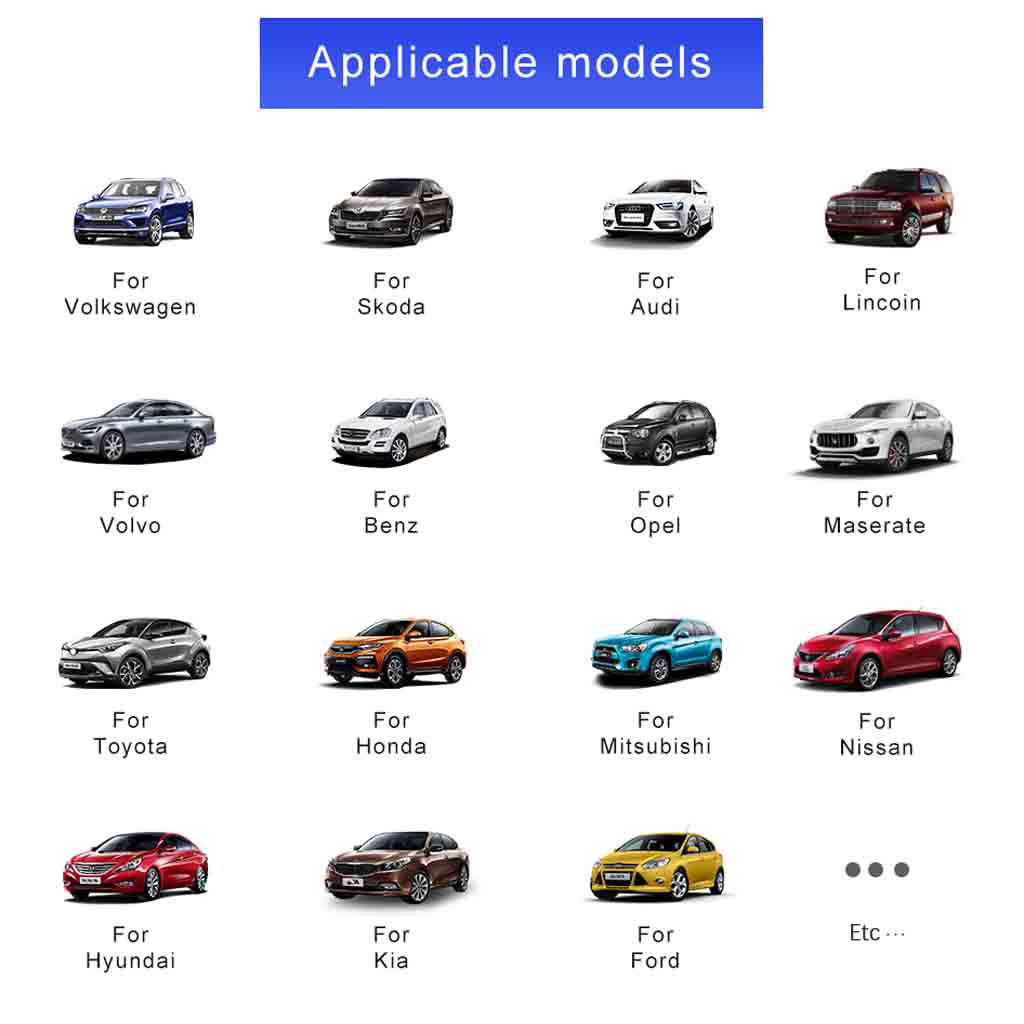
Binize Best Wireless CarPlay Adapter Incompatible Models:
● NOT for aftermarket CarPlay head unit ;
● NOT for BMW, Benz, Audi;
● NOT for car head unit without touch screen;
● Not for Samsung.
FAQ:
Q: How can I get wireless android auto via binize multimedia video box ?
A: Hello from binize, first of all, you will need to confirm your smartphone does support the wireless android auto feature( not including Samsung). The other thing you will need is an original phone data cable.
● Turn on your phone Bluetooth.
● Pair successfully.
● Click Autokit.
● The android phone system will prompt to download the autolink app, if you are using android auto for the first time. Sometimes you will need to agree to the debugging permission. When using android auto, please pay attention to the permission acquisition prompt of your android phone.
● Recognize your android phone automatically via binize best wireless carplay adapter.
Q: Does Binize multimedia video box support wireless CarPlay?
A: Hello from binize, with no doubt, multimedia video box does support. First step, you will need to keep Bluetooth open, and it's best to make sure that every time use carplay or android auto, only have one Bluetooth device turned on around the car. Otherwise it will cause Bluetooth conflict sometimes.
●Turn on your phone Bluetooth
● Pair successfully.
● Click Autokit.
● Sometimes the iPhone will prompt to confirm whether to use carplay, click yes, you will get CarPlay successfully.
● Recognize your android phone automatically via binize best wireless carplay adapter.
Q: How to get the leatest system firmware update?
A: Binize provide sustainable system upgrade files for multimedia video box. Please contact customer service for upgrade file if necessary.
● Please note that multimedia video box can only be upgraded by inserting a micro sd card.
● Insert the TF card into the Binize multimedia video box .
● Wait for a few minutes, when the apple wireless carplay adapter system is brand new and fresh, move the TF card.
● Stream to your car normally via binize best best wireless carplay adapter.
Q: My multimedia video box will flash out soemtimes, what I can do to fix that ?
A: Hello from binize, Binize box is just like a mobile phone. After a long time of use, there will be some cache, so it is very necessary to clear the cache when your box has a freeze.
● Click setting
● Click system
● Click advanced
● Click reset option
● Click erase all data
● Click erase everything
● Plug out and in the ai box
● Update apps
Also hope this video can help you with more details: