
Binize Tesla CarPlay Box for Model 3&Model Y With EQ Adjustment


Binize Tesla CarPlay Box for Model 3&Model Y With EQ Adjustment
Please note: The premise of Binize Tesla CarPlay BOX use is that your Tesla supports the Driving Visualization feature, contact customer service for external needs before purchasing.
| Brand | Binize |
| Type | Tesla CarPlay BOX |
| Wireless CarPlay | Yes |
| Bluetooth |
Yes |
| Size | 2.6 Inch*2.0 Inch*0.5 Inch |
| Power Input / Output |
5V——1A |
| WiFi Receiver | 2.4 GHz+5 GHz |
| EQ | Support |
| Car support | Tesla Model 3/Y |
| Phone support |
iPhone 6 and newer, ios 10 and newer Android phone with android 11 and newer |
Upgrade Your Tesla to Wireless CarPlay!
🚦【Wireless CarPlay on Tesla】:
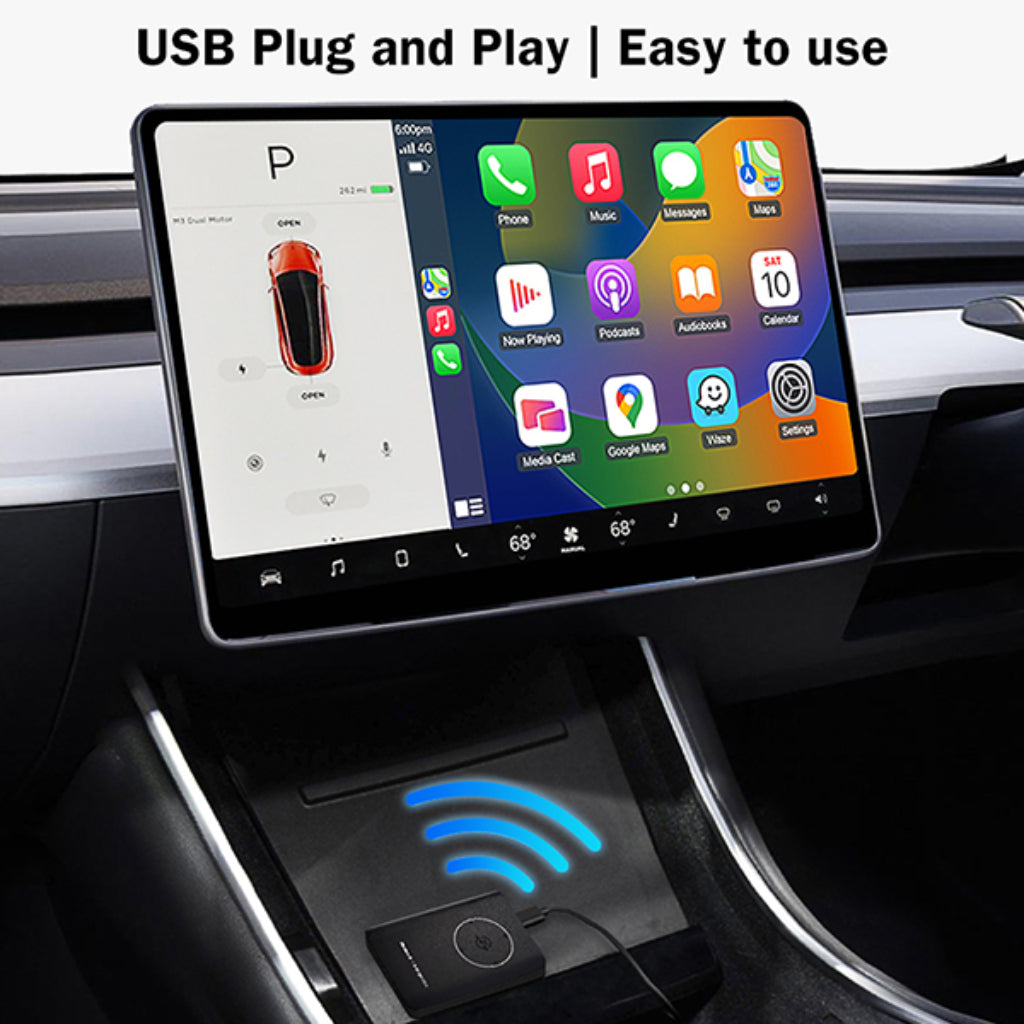
🚦【Multiple Music APPs】

🚦【Compatible with Model 3 & Model Y】:

🚦【Brand New Original Car Upgrade】:

🚦【EQ Setting for Different Music Styles 】:

🚦【Dual Interfaces for Different Needs】:

Binize Tesla CarPlay BOX Connection Steps:

- Plug Binize Tesla CarPlay BOX via the USB cable included.
- Go to the Tesla touchscreen Bluetooth setting page, search for the adapter's Bluetooth Aicar-xxxx, and click pair
- Open a new browser page, and input this URL: http://aicarpush.com
- Turn on your iPhone wifi, then search for the Teslsa CarPlay BOX Bluetooth: CPhoneXXX, then pair.
- Approve the permission for Using CarPlay.
- If you are using a Binize Tesla CarPlay box we highly recommend bookmarking the URL mentioned above and forgetting all previous Bluetooth pairs.
NOTE:
The performance of this Tesla CarPlay BOX depends on the characteristics of your original Tesla configuration.
Q&A
Q:Why does my Tesla get nothing after the box is plugged in?
A: Hello from Binize, after plugging the Tesla CarPlay BOX in, you will need to pair the Bluetooth correctly, then will need to open your Tesla browser, input this URL: http://aicarpush.com correctly, and also need make sure your phone wifi button is turned on, especially for android phone.
Q: Which version is this? I need the version that doesn't use a sim card?
A: Hello from Binize, this Tesla CarPlay box has no need for a sim card, just an easy Bluetooth connection will sync your CarPlay or Android AUTO smoothly. It even supports EQ adjustment, can you believe that?
Q: Can you give a brief explanation of what this Tesla CarPlay box is actually doing?
A: Hello from Binize, in essence, it communicates with each other through Bluetooth and WiFi, and then visit the server under the URL: URL: http://aicarpush.com to realize the CarPlay feature in the browser.
Q: Will my model S suit your box?
A: Hello from Binize, this Tesla CarPlay BOX can only work with Model 3 and Model Y. We are keeping developing new er box specially for Model X and Model S.
Q: What is this for?
A: Hello from Binize, I believe that there must have been some problems with using the map of the Tesla system, as well as some cases of not being able to check your iPhone message anytime and anywhere easily.
The Tesla WiFi CarPlay adapter loads your usage habits directly onto your Tesla car, making it easy to upgrade with one click without any complicated installation steps.