
Binize Wireless 2022 Toyota Corolla CarPlay BOX for OEM CarPlay


Binize Wireless 2022 Toyota Corolla CarPlay BOX for OEM CarPlay
Kindly be aware that the Binize Wireless 2022 Toyota Corolla CarPlay BOX is specifically designed for factory cars equipped with wired CarPlay and a touch screen. For any other requirements, please get in touch with our customer service team prior to making your purchase.
| Brand | Binize |
| Type | Wireless 2022 Toyota Corolla CarPlay BOX |
| Storage | 4GB(RAM)+64GB(ROM) |
| System | Android 13 |
| Matching Model | 2019+ Toyota Corolla with OEM wired CarPlay (No Android Factory head unit) |
| AutoPlay | Yes, Both for iPhone CarPlay and Android Auto (not for Samsung) |
| Mirrorlink |
Yes, Both for iPhone and Android (not for Samsung) |
| Built-In WIFI Receiver |
Yes |
| Bluetooth |
Yes |
| TF card slot |
Yes |
| SIM card slot | Yes |
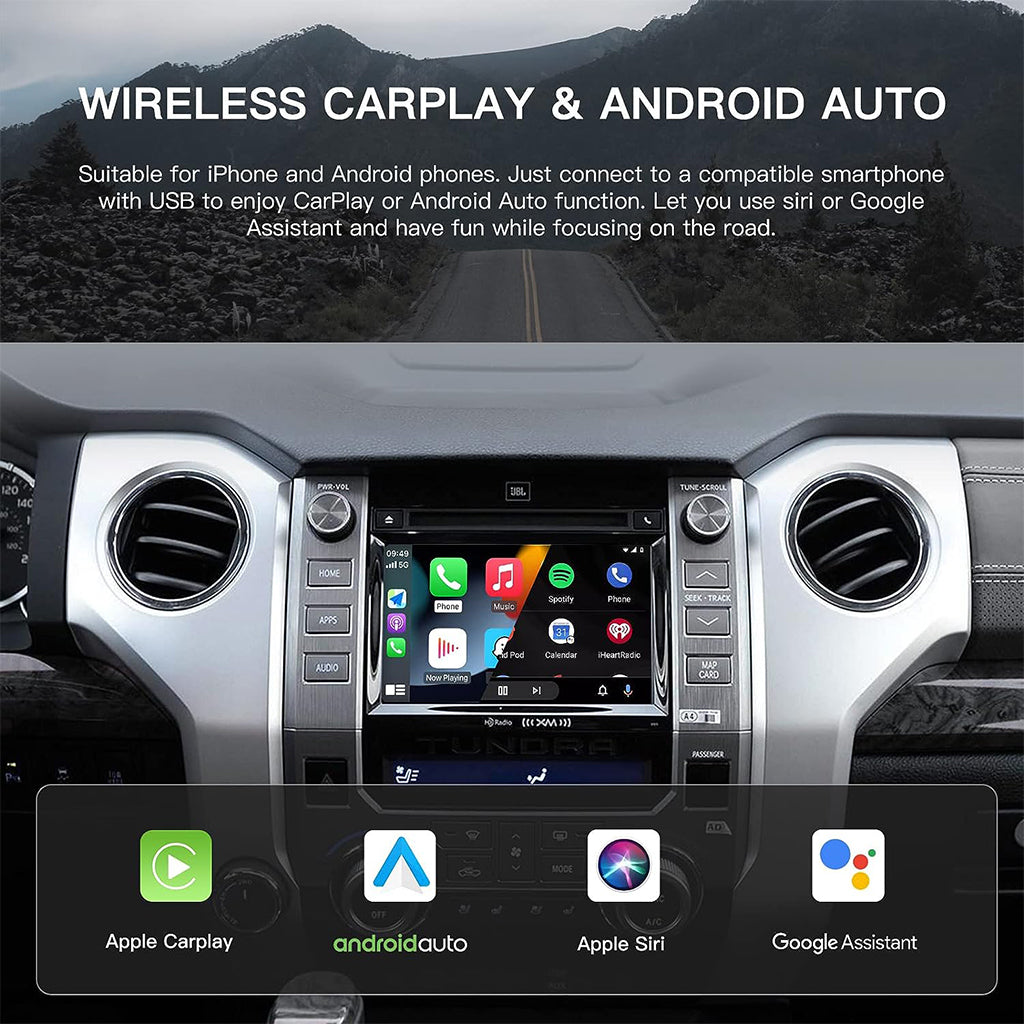
🚦【Easy Wireless CarPlay 】
🚦【Watch TV Online】:

🚦【Advanced Android System】:

🚦【Dual Bluetooth】:

🚦【Plug & Play】:

Binize 2022 Toyota Corolla CarPlay BOX
- Compatible with most 2019+ Toyota Corolla models that have a wired CarPlay connection and non-Android head unit.
- Enjoy the convenience of dual autoplay, supporting both wireless CarPlay and wireless Android Auto.
- Equipped with 2.4G and 5G wifi, providing superior anti-interference capabilities and higher transmission efficiency, ensuring a stable and seamless CarPlay experience while keeping the system cool.
IMPORTANT:
The feature of the 2022 Toyota Corolla CarPlay BOX is contingent upon the features and specifications of the original car stereo. These AI boxes are designed to be compatible exclusively with touchscreen car stereos.
What Did They Say?
①Customer Hansen—— Transforming a wired Apple CarPlay screen into wireless CarPlay/Android Auto!
I must say, this device is quite impressive. My 2020 Corolla originally only supported wired CarPlay, but as an Android user, I was in need of Wireless Android Auto functionality. This device truly came to the rescue by providing just that. It's pleasantly compact and easy to discreetly tuck away, which is a definite plus. Moreover, since it operates on an Android platform, it even allows for the installation of other Android apps. Really cool!
②Customer Chris——Works great in the 2022 Corolla
Get to play Hulu and YouTube videos in my Toyota Corolla
③Customer Bolanos——Embracing the Convenience of Android Auto
Owning a 2019 Toyota Corolla hatchback, I had long been hoping for the manufacturer to incorporate Android Auto support into it. Regrettably, that never came to pass. I once attempted to upgrade the infotainment system, but that endeavor proved unsuccessful. Similarly, I gave an Android mirror a shot, only to encounter further disappointment. Then came the discovery of the Binize box, and it was truly a case of love at first use. I had finally stumbled upon the solution I had been relentlessly seeking. The Binize box performs admirably, though I do wish it included a USB option for wired Android Auto, just as a contingency in case Bluetooth connectivity falters.
Q&A
Q: Disney+ is not receiving updates due to its incompatibility with the current firmware version. Is there an alternative method for performing the update?
A: Greetings from binize. Whenever you have a moment, please consider uninstalling the existing application. Following that, you can search for the APK on the Google Play Store. If you are unable to locate it there, you might attempt a search in your web browser and proceed to download and install the application.
Q: Does wireless CarPlay connect automatically when the car starts?
A: Greetings from binize. Certainly, you have the option to configure this in the settings. To do so, navigate to Settings > Bootup app > select AutoKit. Once configured, the Toyota Corolla CarPlay BOX will initiate the AutoKit app every time the car is started. This app facilitates both wireless CarPlay and wireless Android Auto functionality. Simply ensure that your smartphone's Wi-Fi and Bluetooth are enabled, and the connection will be established automatically.
Q: Is it possible to install additional apps in the box?
A: Greetings from binize. This carplay video box comes equipped with popular video apps like YouTube, Netflix, and TikTok. Additionally, you can download other apps from the Google Play Store by enabling "Allow installation of third-party apps" within the box's settings. We recommend downloading only 1-2 frequently used apps for optimal performance.
Q: Can I view offline videos that I've downloaded to my iPhone, or is it necessary to use the TF card?
A: Greetings from binize. Indeed, you have the option to watch offline videos from the TF card, or you can stream online content via apps like YouTube, Netflix, and Disney+ in the Toyota Corolla CarPlay BOX. However, if you've solely downloaded a movie to your iPhone, please note that the carplay system won't support playing offline videos directly from your iPhone, as it doesn't have access to the phone's memory.