Binize CarPlay Wireless Adapter for Car with Original Wired CarPlay


Binize CarPlay Wireless Adapter for Car with Original Wired CarPlay
Please note that Binize carplay wireless adapter multimedia video box is only suitable for the Factory car with wired CarPlay and touch screen, contact the customer service for other help if necessary.
| Brand | Binize |
| Type | carplay wireless adapter / multimedia video box |
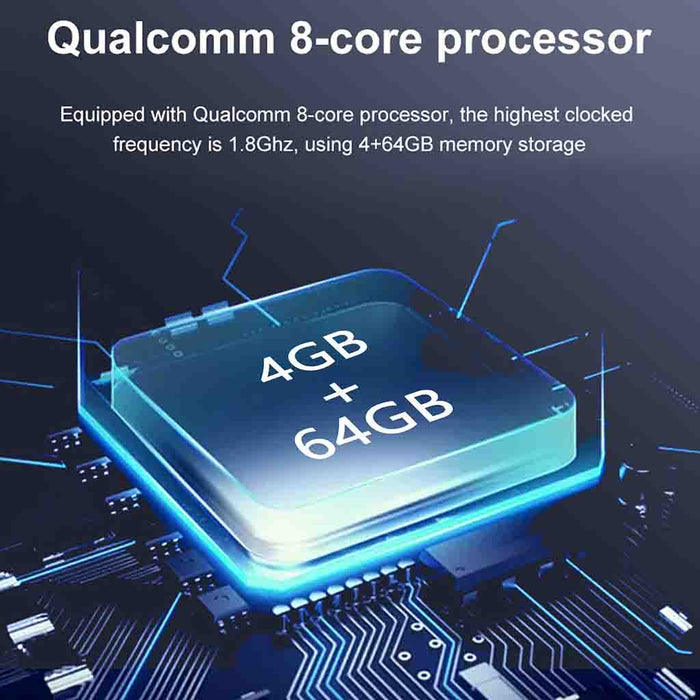
| Storage | 4GB RAM +64GB ROM |
| System | Android 13 |
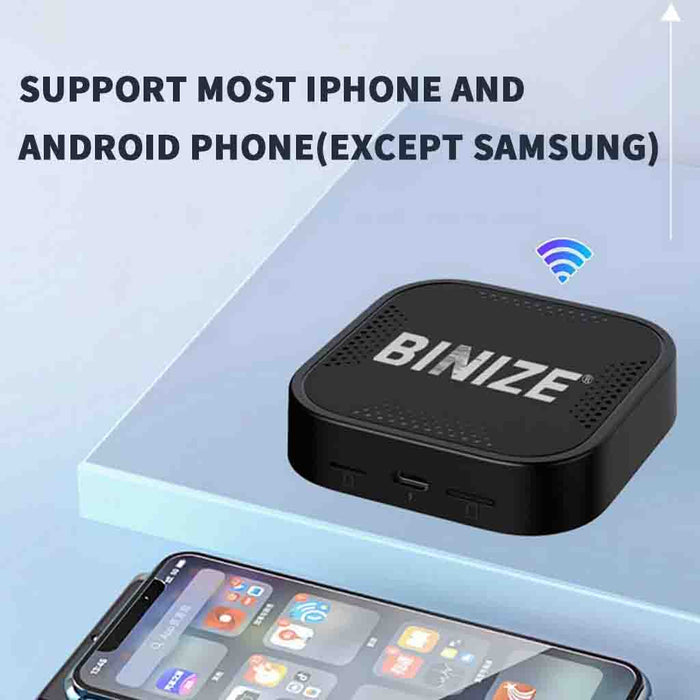
| AutoPlay | Yes, Both for iPhone CarPlay and Android auto(not for Samsung) |
| Mirrorlink |
Yes, Both for iPhone and Android (not for Samsung) |
| Built-In WIFI Receiver |
Yes |
| Bluetooth |
Yes |
| TF card slot |
Yes |
| SIM card slot | Yes |
🚦Unboxing review of carplay wireless adapter
In this episode of Marty Motoring, we look at the BINIZE carplay wireless adapter / multimedia video box which transforms your Apple CarPlay experience. You get wireless Apple Carplay, plus Android apps like Netflix and YouTube to use your vehicle's screen to its full potential.———— Marty Motoring
🚦【Handsfree BT connection of carplay wireless adapter】

🚦【8-Core Android system of carplay wireless adapter】:
🚦【Adaptable to Multi scenes of carplay wireless adapter】:

🚦【Highly compatible with most smartphones 】:
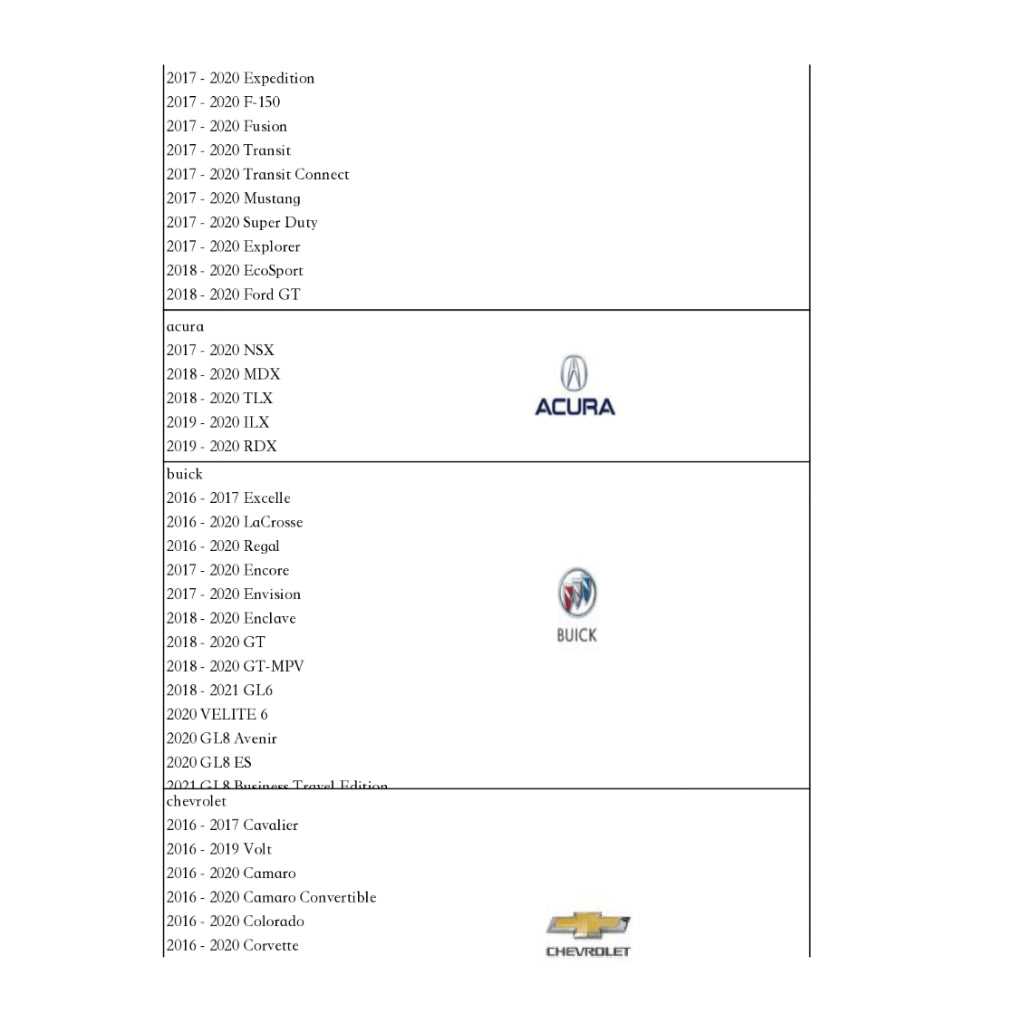
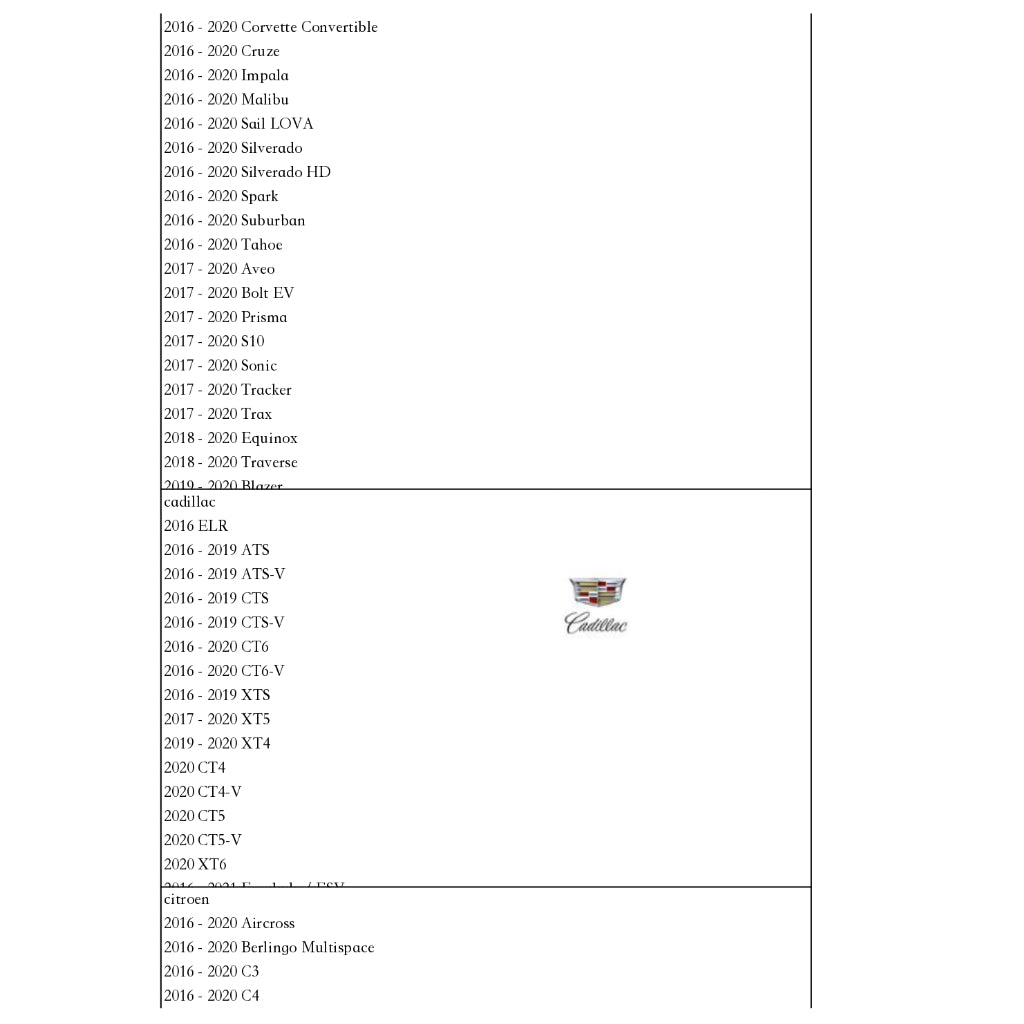
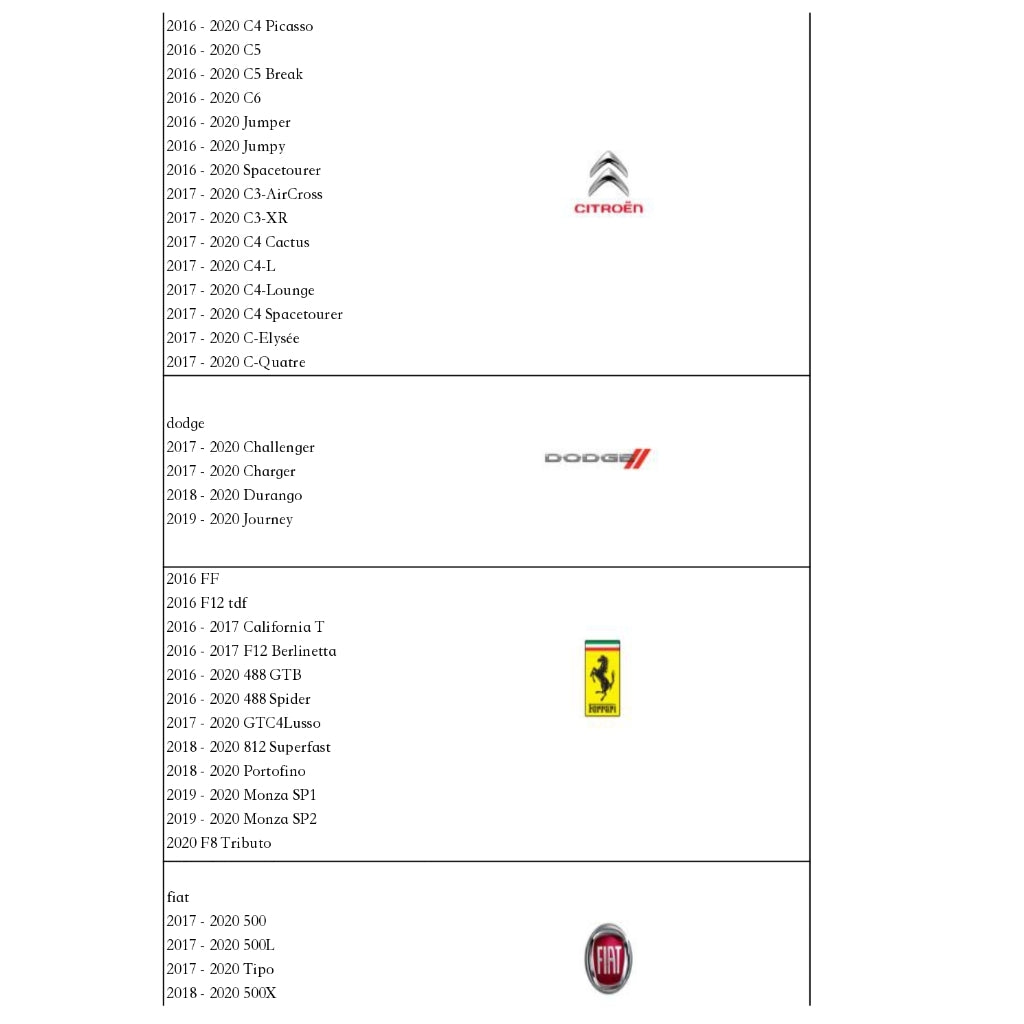
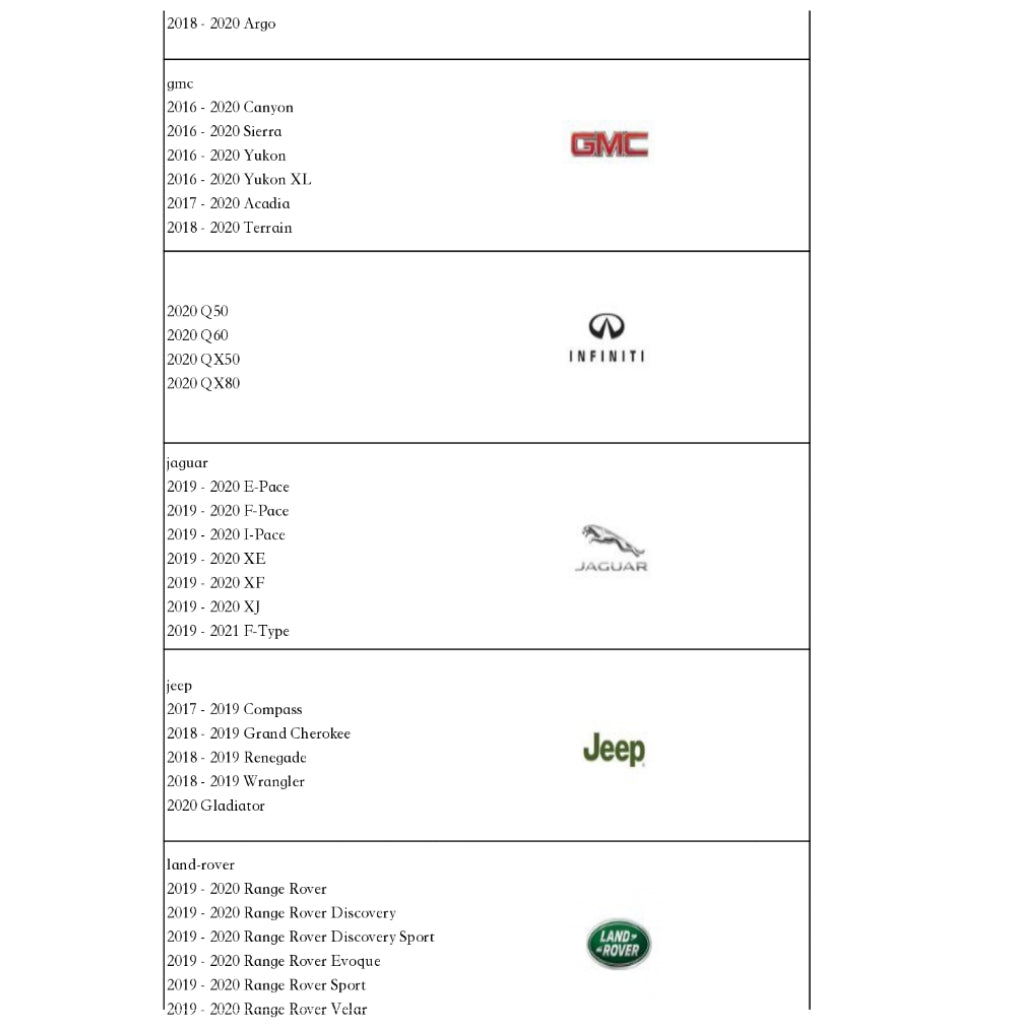
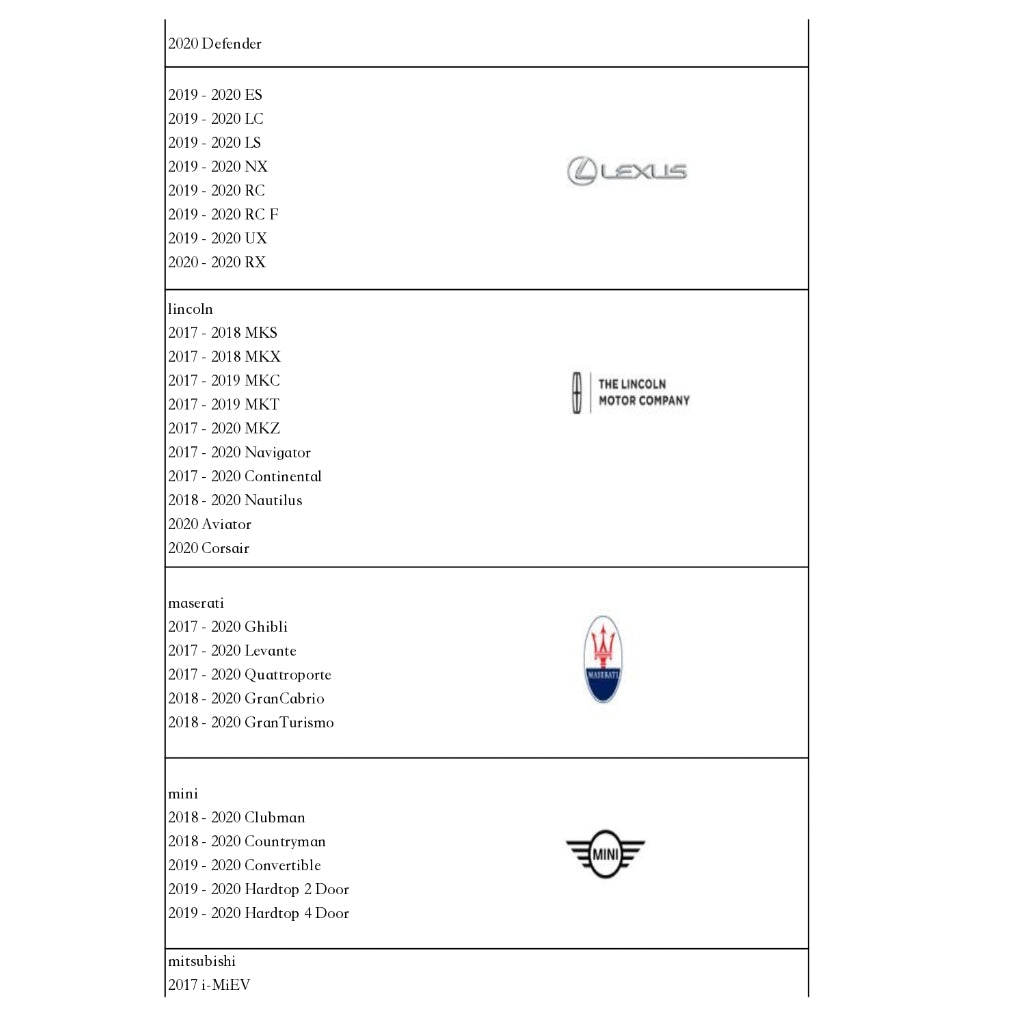
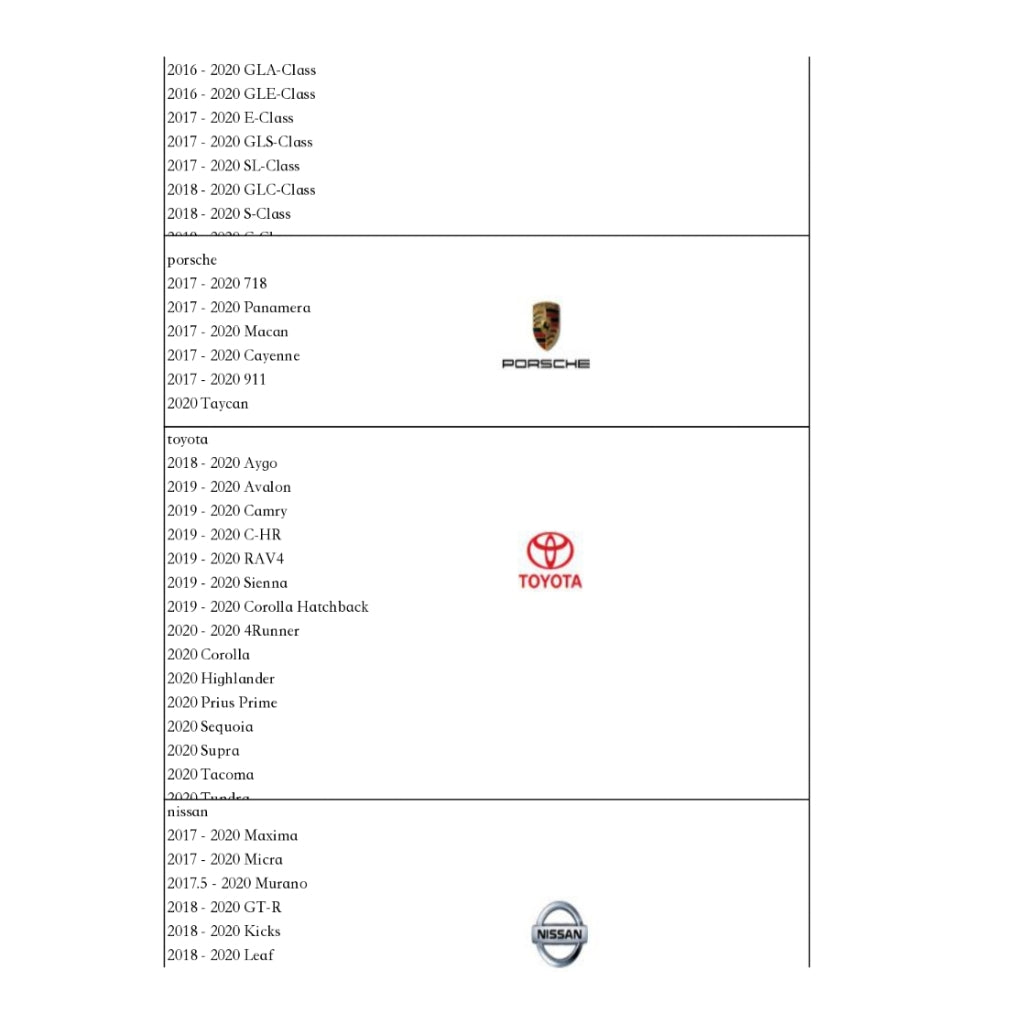
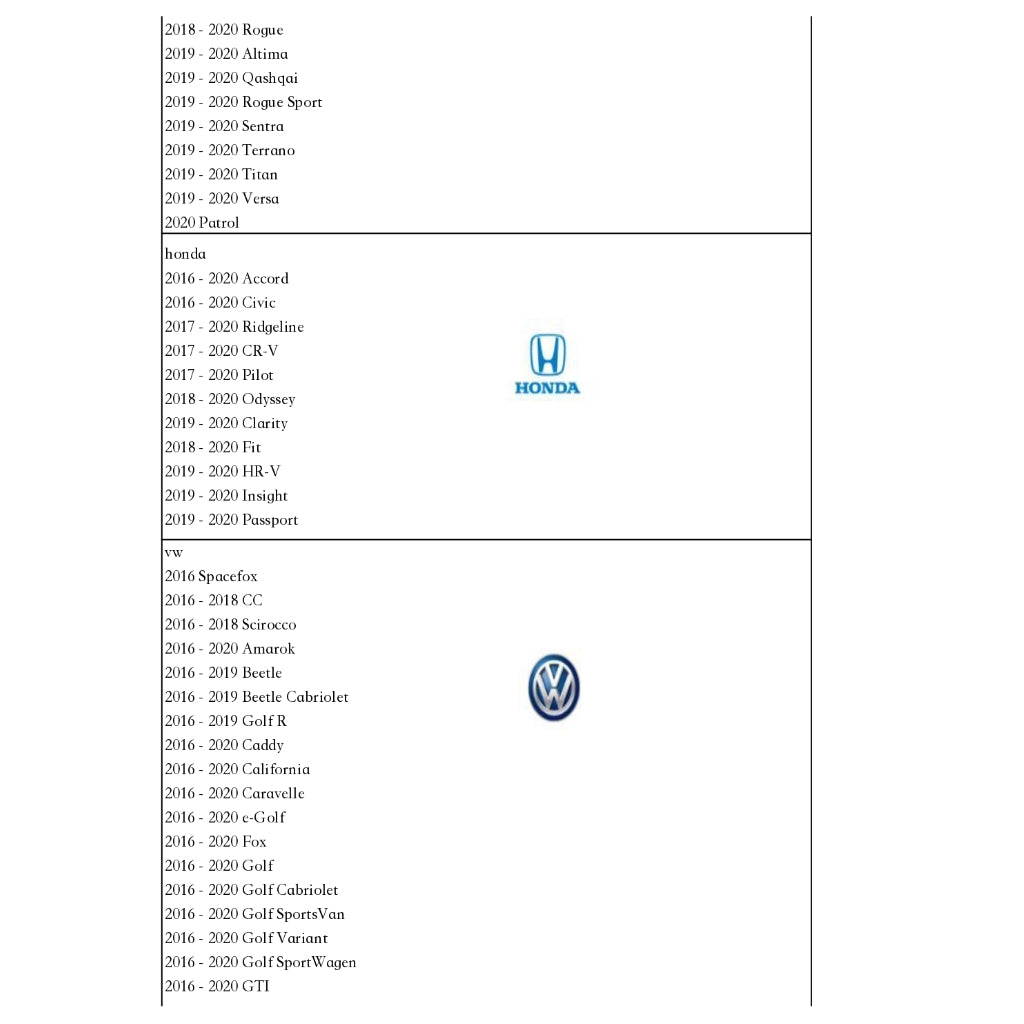
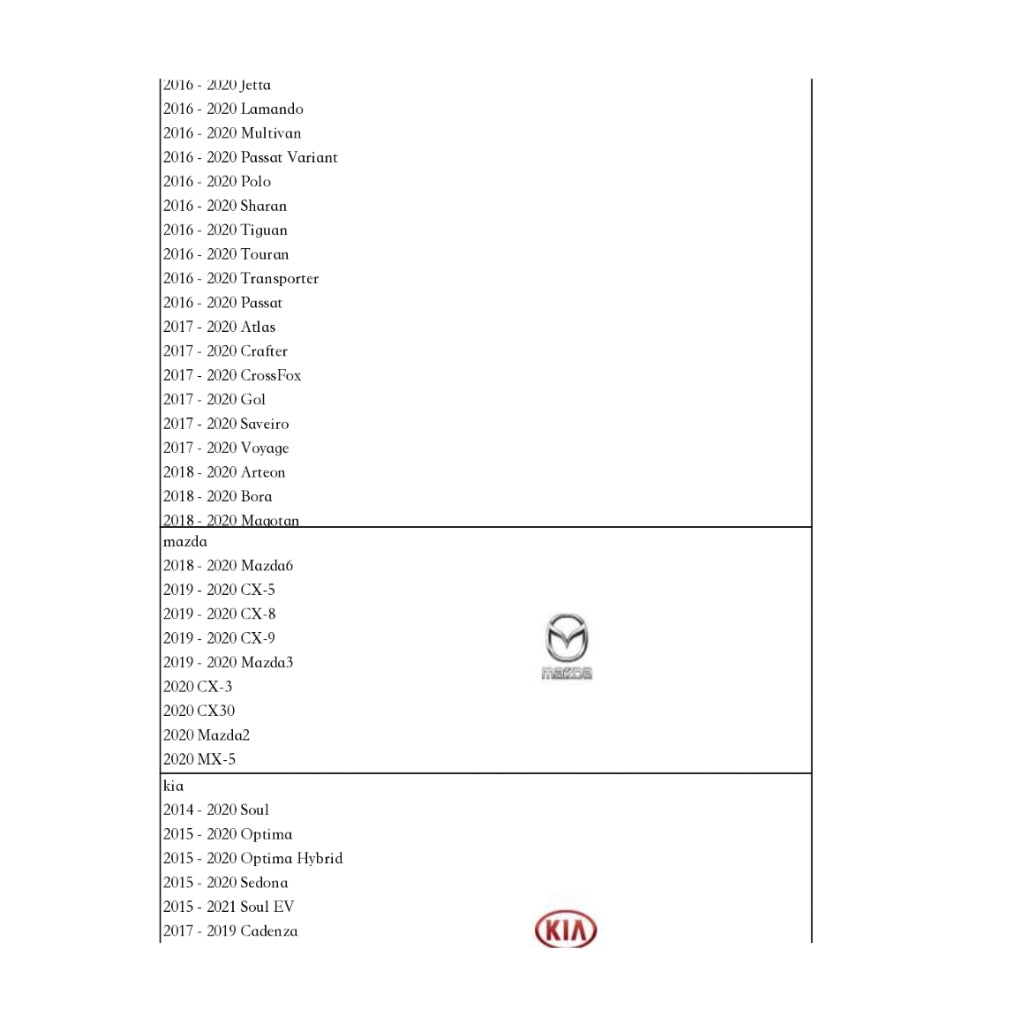
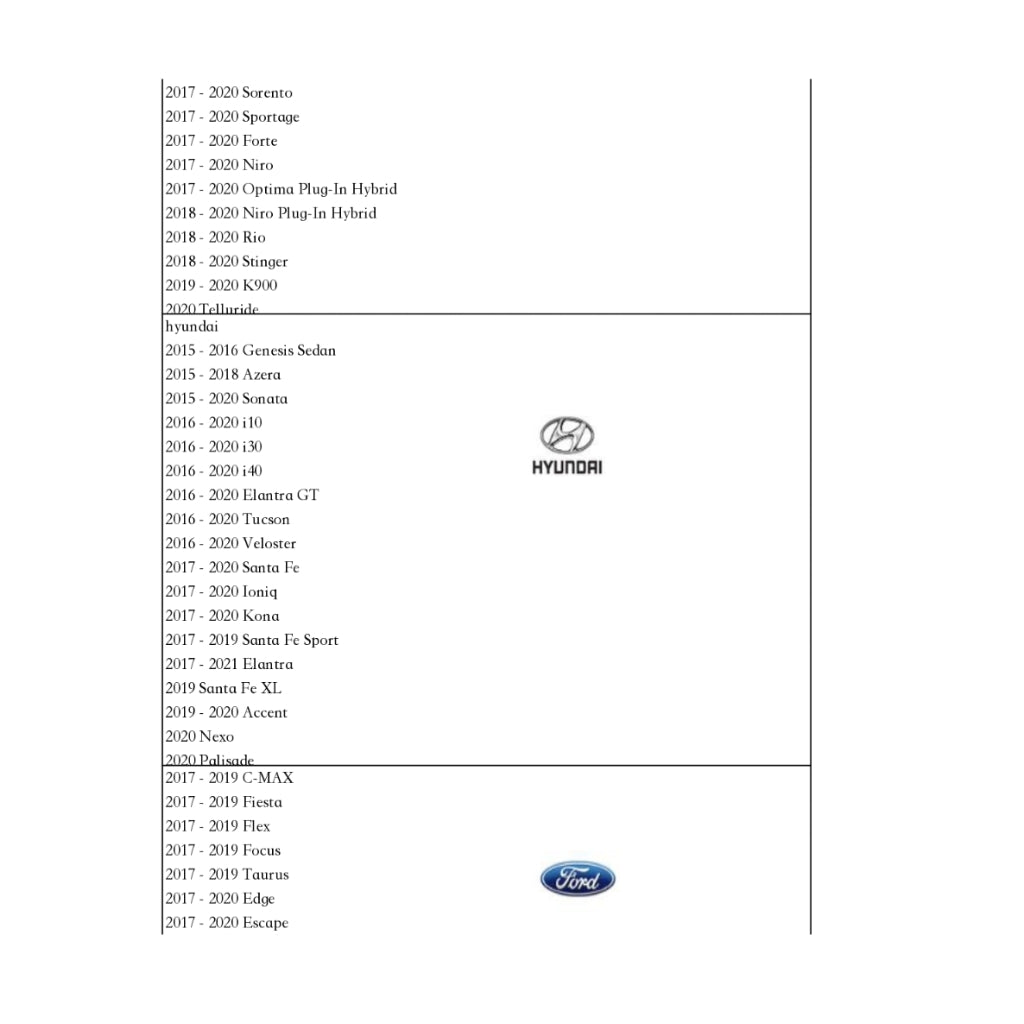
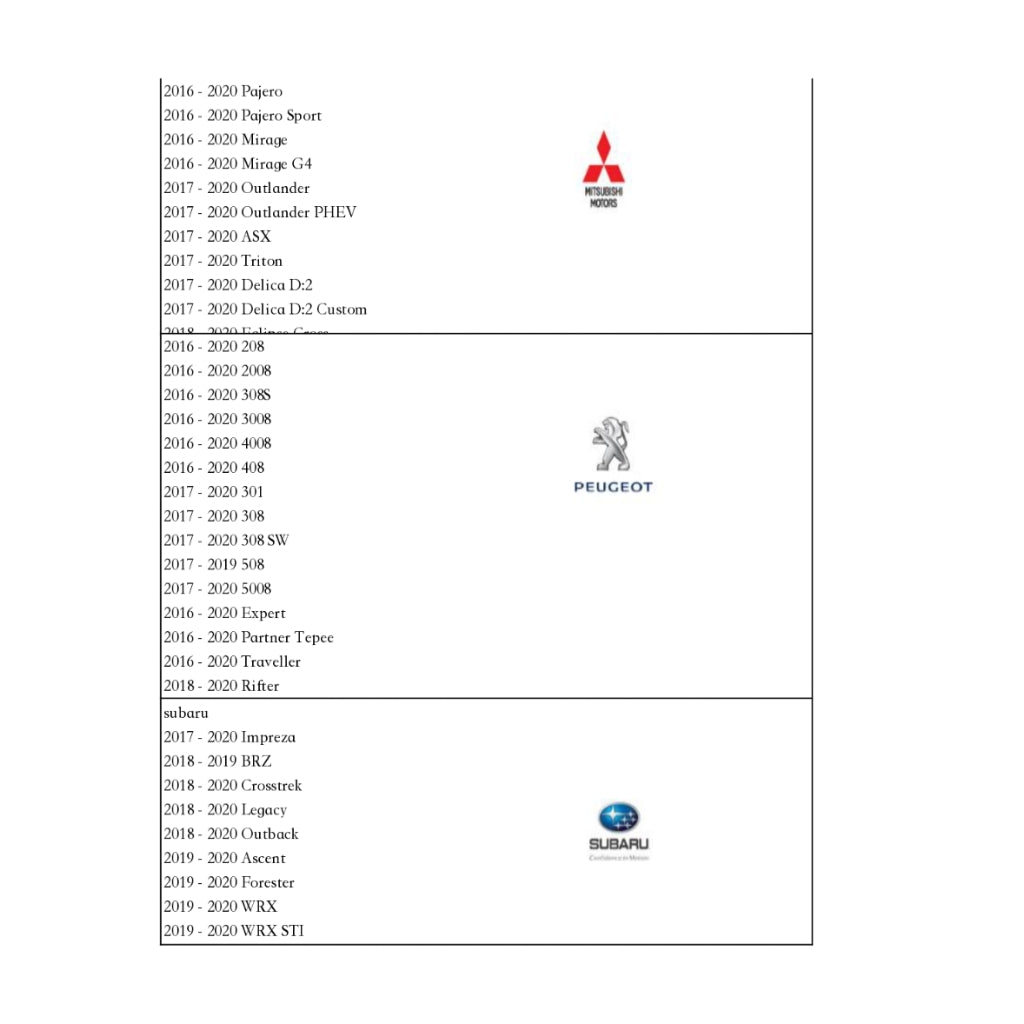
🚦【Compatible models of carplay wireless adapter】:

Binize carplay wireless adapter / multimedia video box
- Binize has a professional customer service technical team. We have more than ten years of experience in the car stereo industry and are committed to improving the user's driving experience comprehensively. We have email and message technology support available online, if you have any problems with the carplay wireless adapter, please feel free to contact Binize.
Connection Way:

NOTE:
The performance of Binize carplay wireless adapter / multimedia video box depends on the characteristics of the original car stereo, only suitable for a touch screen car stereo.
Q&A
Q: How to update Binize carplay wireless adapter or multimedia video box ?
A: To upgrade through TF card of carplay wireless adapter , firstly, you need to download the latest upgrade file from the link Binize provides and copy it into the TF card, please keep the file name always update.
And there is no need for any unzip steps in the process, if the system force you to input password, it means that you are already in the process of unzipping the file for the multimedia video box, please cancel that and then you can keep going on with upgrade and using binize carplay wireless adapter normally.
Q: Will Binize carplay wireless adapter work on Toyota 4 Runner?
A: Hello from binize, this carplay wireless adapter / multimedia video box is compatible with Toyota 4 Runner which has a Wired CarPlay connection. Please check whether the car has a wired OEM CarPlay wired connection before purchasing.
Tips: How to know if the car has factory wired CarPlay?
Method 1:
Look for the CarPlay icon on your OEM car radio system, if it does have, which means it has a wired CarPlay connection;
Method 2:
Use an original phone data cable to connect your iPhone to the car radio USB adapter. If there is a pop-up page as "USE CARPLAY", which means your car has a wired CarPlay feature. Please try each USB adapter in the car.
Or, if there is no pop-up prompt window but the CarPlay function can be used by connecting the data cable, then it is judged that your car has factory wired CarPlay.
Method 3: Consult your car brand manufacturer
Q: Which car model can be used with Binize multimedia video box ?
A: 1. The factory car radio comes with wired CarPlay.
2. Confirm whether the radio has a touch screen.
Q:Does Binize multimedia video box work with my 2022 Toyota Tundra?
A:Hello from binize, according to the feedback of existing customers, the standard configuration with OEM CarPlay is suitable for Binize carplay wireless adapter
Support model list reference